The shift to remote work has brought about a significant change in the way we approach our daily tasks and responsibilities. With the absence of a traditional office setup, it’s essential to create a comfortable and efficient workspace at home. One of the most critical components of a productive home office is a reliable and comfortable keyboard. A good keyboard can make all the difference in your work experience, allowing you to type accurately and efficiently for extended periods. Whether you’re a freelancer, entrepreneur, or full-time employee working from home, investing in the right keyboard is crucial for your productivity and overall job satisfaction.
As you search for the perfect keyboard to enhance your remote work experience, you’ll come across a wide range of options with varying features, designs, and prices. To help you make an informed decision, we’ve compiled a list of the best keyboards for remote work, taking into account factors such as ergonomics, durability, and connectivity options. With so many keyboards available in the market, it can be overwhelming to choose the one that suits your needs and preferences. In this article, we’ll guide you through the process of selecting the ideal keyboard for your remote work setup, discussing the key features to look for, and providing reviews of top-rated keyboards to help you create a comfortable and productive workspace.
We will cover the best keyboards for remote work later in this article. Meanwhile, feel free to check out these related products on Amazon:
| # | Preview | Product | Price | |
|---|---|---|---|---|
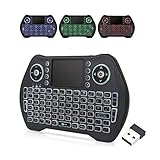
| 1 | Easytone Backlit Mini Wireless Keyboard with Touchpad Mouse Combo Remote… | $8.89 | View on Amazon | |
| 2 | REIIE H9+ 2.4G Mini Keyboard with Touchpad, Backlit for Smart TV PC… | $14.99 | View on Amazon | |
| 3 | VSD M18 Macro Pad Programmable Keypad, Stream Controller Streaming Deck… | $43.99 | View on Amazon | |
| 4 | HBR Guide to Remote Work | $9.99 | View on Amazon |


As an Amazon Associate I earn from qualifying purchases.
Prices and availability are accurate as of November 29, 2026 17:18 and are subject to change.
Introduction to Keyboards for Remote Work
With the rise of remote work, having the right equipment is crucial for productivity and efficiency. A good keyboard can make a significant difference in the overall working experience, allowing individuals to work comfortably and accurately. As remote workers spend a considerable amount of time typing, it is essential to invest in a keyboard that meets their specific needs.
When it comes to remote work, the type of keyboard used can greatly impact performance. Ergonomic design, wireless connectivity, and customizable features are just a few aspects to consider when selecting a keyboard. Remote workers often require keyboards that can keep up with their fast-paced and dynamic work environment. Whether working from home, a coffee shop, or a co-working space, a reliable keyboard is vital for getting the job done.
In recent years, the market has seen a surge in keyboards designed specifically with remote workers in mind. These keyboards prioritize comfort, portability, and versatility, making them ideal for professionals who need to work on-the-go. With so many options available, it can be overwhelming to choose the right one. However, by considering factors such as keyboard layout, switch type, and durability, individuals can find the best keyboards for remote work that suit their unique needs and preferences.
As the demand for remote work solutions continues to grow, the importance of investing in quality keyboards cannot be overstated. By selecting a keyboard that is tailored to their specific requirements, remote workers can enhance their productivity, reduce eye strain and fatigue, and ultimately achieve a better work-life balance. With the numerous options available, it is crucial to research and compare different keyboards to find the one that best fits your needs and budget, ensuring a seamless and efficient remote working experience.
The Best Keyboards For Remote Work
Logitech Ergonomic Keyboard K860 920-009166
The Logitech Ergonomic Keyboard K860 920-009166 is a top-notch choice for remote workers who spend long hours typing away. Its curved and sloped design allows for a more natural hand and wrist position, reducing the risk of injury and discomfort. The keyboard also features a built-in wrist rest, which provides additional support and comfort. The keys are quiet and responsive, making it ideal for video conferencing and online meetings.
The Logitech Ergonomic Keyboard K860 920-009166 is also highly customizable, with programmable keys and a range of settings that can be adjusted to suit individual preferences. The keyboard is also compatible with a range of devices, including Windows and Mac computers, and can be connected via USB or Bluetooth. Overall, the Logitech Ergonomic Keyboard K860 920-009166 is a great choice for remote workers who want a comfortable, reliable, and customizable keyboard that can keep up with their demanding work schedule.
Microsoft Surface Keyboard 7N9-00001
The Microsoft Surface Keyboard 7N9-00001 is a sleek and stylish keyboard that is perfect for remote workers who value design and functionality. The keyboard has a slim and compact design, making it easy to take on the go, and its aluminum body gives it a premium feel. The keys are quiet and responsive, with a subtle tactile feedback that makes typing a pleasure. The keyboard also features a range of shortcut keys, including media controls and a Windows key.
The Microsoft Surface Keyboard 7N9-00001 is also highly compatible, working seamlessly with Windows devices and also compatible with Mac and Android devices. The keyboard connects via Bluetooth, making it easy to pair with devices, and has a long-lasting battery life of up to 12 months. Overall, the Microsoft Surface Keyboard 7N9-00001 is a great choice for remote workers who want a stylish, functional, and portable keyboard that can keep up with their active lifestyle.
Das Keyboard 4 Professional KPD4021S14
The Das Keyboard 4 Professional KPD4021S14 is a high-end keyboard designed specifically for professionals who demand the best. The keyboard features a range of advanced features, including customizable macro keys, a built-in USB hub, and a range of media controls. The keys are also highly customizable, with adjustable backlighting and a range of switch types to choose from. The keyboard is also built to last, with a rugged design and high-quality materials that can withstand heavy use.
The Das Keyboard 4 Professional KPD4021S14 is also highly compatible, working seamlessly with Windows, Mac, and Linux devices. The keyboard connects via USB, making it easy to plug in and get started, and also features a range of advanced settings that can be adjusted via the Das Keyboard software. Overall, the Das Keyboard 4 Professional KPD4021S14 is a great choice for remote workers who want a high-end keyboard that can keep up with their demanding work schedule and provide a range of advanced features and customization options.
Anne Pro 2 AK87KOB01
The Anne Pro 2 AK87KOB01 is a compact and portable keyboard that is perfect for remote workers who are always on the go. The keyboard has a slim and lightweight design, making it easy to take on the go, and its wireless connectivity options make it easy to pair with devices. The keys are also highly customizable, with adjustable backlighting and a range of macro keys that can be programmed to suit individual preferences. The keyboard also features a range of advanced features, including a built-in battery life indicator and a range of media controls.
The Anne Pro 2 AK87KOB01 is also highly compatible, working seamlessly with Windows, Mac, and Android devices. The keyboard connects via Bluetooth or USB, making it easy to pair with devices, and has a long-lasting battery life of up to 8 hours. Overall, the Anne Pro 2 AK87KOB01 is a great choice for remote workers who want a portable, customizable, and feature-rich keyboard that can keep up with their active lifestyle. The keyboard’s compact design and wireless connectivity options make it perfect for working on the go.
Razer BlackWidow Lite RZ03-02601
The Razer BlackWidow Lite RZ03-02601 is a high-end gaming keyboard that is also perfect for remote workers who want a premium typing experience. The keyboard features a range of advanced features, including customizable backlighting, macro keys, and a range of media controls. The keys are also highly customizable, with adjustable switch types and a range of settings that can be adjusted via the Razer software. The keyboard is also built to last, with a rugged design and high-quality materials that can withstand heavy use.
The Razer BlackWidow Lite RZ03-02601 is also highly compatible, working seamlessly with Windows, Mac, and Linux devices. The keyboard connects via USB, making it easy to plug in and get started, and also features a range of advanced settings that can be adjusted via the Razer software. Overall, the Razer BlackWidow Lite RZ03-02601 is a great choice for remote workers who want a high-end keyboard that can provide a premium typing experience and a range of advanced features and customization options. The keyboard’s customizable backlighting and macro keys make it perfect for working in low-light environments or for customizing keyboard shortcuts.
Why People Need to Buy Keyboards for Remote Work
The shift to remote work has brought about a significant change in the way people approach their workspaces. With the absence of a traditional office setup, individuals are now responsible for creating their own productive environments. This includes investing in the necessary tools and equipment to ensure efficiency and comfort. One often overlooked yet essential component of a remote workspace is a high-quality keyboard.
A good keyboard can make a substantial difference in a person’s productivity and overall work experience. It can help reduce errors, improve typing speed, and provide a more comfortable typing experience. Moreover, a keyboard designed for remote work can help individuals stay focused and avoid distractions, which is crucial when working from home or in a shared space. With the numerous options available in the market, it can be challenging to choose the right keyboard that meets one’s specific needs.
When selecting a keyboard for remote work, there are several factors to consider, including ergonomics, durability, and connectivity options. Some keyboards are designed with ergonomic features, such as curved or split designs, to reduce strain on the hands and wrists. Others may offer advanced connectivity options, such as wireless or Bluetooth connectivity, to provide greater flexibility and convenience. By considering these factors, individuals can find the best keyboards for remote work that cater to their unique requirements and preferences.
Investing in a good keyboard is a worthwhile investment for anyone who works remotely. Not only can it improve productivity and comfort, but it can also help reduce the risk of injuries and health problems associated with poor typing posture. With the right keyboard, individuals can create a more efficient and comfortable workspace that supports their overall well-being and success. By prioritizing this essential tool, remote workers can stay focused, productive, and successful in their careers.
Types of Keyboards Suitable for Remote Work
When it comes to choosing the best keyboard for remote work, there are several types to consider. Wireless keyboards offer greater flexibility and convenience, allowing users to work from anywhere without being tethered to their computer. On the other hand, mechanical keyboards provide a more tactile and responsive typing experience, which can be beneficial for those who spend long hours typing. Additionally, ergonomic keyboards are designed to reduce strain and discomfort, making them an excellent choice for remote workers who spend extended periods typing.
Ergonomic keyboards are designed to promote good posture and reduce the risk of injury. They come in a variety of shapes and sizes, but most have a curved or split design that allows the user to type with their wrists in a neutral position. This can help reduce the risk of repetitive strain injuries, such as carpal tunnel syndrome, and improve overall comfort and productivity. Some ergonomic keyboards also have built-in wrist rests, which can provide additional support and comfort.
Another type of keyboard that is well-suited for remote work is the portable keyboard. These keyboards are compact and lightweight, making them easy to take on the go. They are perfect for remote workers who need to work from different locations, such as coffee shops or co-working spaces. Many portable keyboards are also wireless, which makes them even more convenient and easy to use.
In addition to these types of keyboards, there are also gaming keyboards that can be suitable for remote work. These keyboards often have customizable backlighting, macro keys, and other features that can be beneficial for remote workers who need to multitask and work efficiently. However, they may not be the best choice for everyone, as they can be bulky and expensive.
Features to Consider When Choosing a Keyboard for Remote Work
When choosing a keyboard for remote work, there are several features to consider. One of the most important features is connectivity. Wireless keyboards offer greater flexibility and convenience, but they may not be as reliable as wired keyboards. On the other hand, wired keyboards are more secure and less prone to interference, but they can be bulky and restrictive.
Another feature to consider is keyboard layout. The most common keyboard layouts are QWERTY, QWERTZ, and AZERTY, but there are also other layouts, such as Dvorak and Colemak, that may be more efficient and comfortable for some users. Additionally, some keyboards have customizable layouts, which can be beneficial for users who need to switch between different languages or typing styles.
Ergonomics is also an important feature to consider when choosing a keyboard for remote work. Ergonomic keyboards are designed to promote good posture and reduce the risk of injury, but they may not be suitable for everyone. Some users may prefer a more traditional keyboard design, while others may need a keyboard with a built-in wrist rest or other ergonomic features.
In addition to these features, there are also other factors to consider, such as durability, compatibility, and price. Remote workers need a keyboard that is reliable and durable, as they will be using it for extended periods. They also need a keyboard that is compatible with their computer or device, and that fits within their budget. By considering these features and factors, remote workers can choose a keyboard that meets their needs and helps them work efficiently and effectively.
Benefits of Using a Good Keyboard for Remote Work
Using a good keyboard can have numerous benefits for remote workers. One of the most significant benefits is improved productivity. A good keyboard can help remote workers type more efficiently and accurately, which can save them time and reduce errors. Additionally, a good keyboard can help reduce the risk of injury, such as carpal tunnel syndrome and repetitive strain injuries, which can be common among remote workers who spend long hours typing.
Another benefit of using a good keyboard is improved comfort. A good keyboard can provide a more comfortable typing experience, which can reduce fatigue and discomfort. This can be especially beneficial for remote workers who spend extended periods typing, as it can help them stay focused and productive. Additionally, a good keyboard can promote good posture, which can reduce the risk of back and neck pain.
A good keyboard can also improve the overall quality of work. By providing a more comfortable and efficient typing experience, a good keyboard can help remote workers produce higher-quality work. This can be especially beneficial for remote workers who need to meet tight deadlines or produce complex documents. Additionally, a good keyboard can help remote workers communicate more effectively, which can be beneficial for teamwork and collaboration.
In addition to these benefits, using a good keyboard can also improve job satisfaction. Remote workers who have a good keyboard are more likely to be satisfied with their job, as they can work more efficiently and effectively. This can lead to increased motivation and engagement, which can be beneficial for remote workers and their employers. By investing in a good keyboard, remote workers can improve their overall work experience and achieve greater success.
Common Mistakes to Avoid When Buying a Keyboard for Remote Work
When buying a keyboard for remote work, there are several common mistakes to avoid. One of the most significant mistakes is not considering the user’s needs and preferences. Remote workers have different needs and preferences, such as typing style, keyboard layout, and ergonomic features. By not considering these factors, remote workers may end up with a keyboard that is not suitable for their needs, which can lead to discomfort, inefficiency, and frustration.
Another mistake is not researching the keyboard thoroughly. Remote workers should research the keyboard’s features, durability, and compatibility before making a purchase. This can help them avoid buying a keyboard that is not reliable or compatible with their computer or device. Additionally, remote workers should read reviews and ask for recommendations from other users to get a better understanding of the keyboard’s performance and quality.
Not considering the budget is also a common mistake. Remote workers should set a budget and stick to it, as keyboards can range from very affordable to very expensive. By not considering the budget, remote workers may end up overspending or buying a keyboard that is not worth the price. Additionally, remote workers should consider the cost of maintenance and repair, as some keyboards may require more maintenance than others.
In addition to these mistakes, not trying out the keyboard before buying is also a common error. Remote workers should try out the keyboard before buying to ensure that it is comfortable and suitable for their needs. This can help them avoid buying a keyboard that is not a good fit, which can lead to frustration and disappointment. By avoiding these common mistakes, remote workers can find a keyboard that meets their needs and helps them work efficiently and effectively.
Ultimate Buying Guide for Keyboards
When it comes to remote work, having the right tools can make all the difference in productivity and comfort. One essential tool for remote workers is a reliable and efficient keyboard. With so many options available in the market, choosing the right keyboard can be overwhelming. In this guide, we will discuss the key factors to consider when buying a keyboard for remote work, helping you make an informed decision.
Ergonomics and Comfort
Ergonomics and comfort are crucial factors to consider when buying a keyboard for remote work. A keyboard that is designed with ergonomics in mind can help reduce the risk of injury and discomfort, allowing you to work for long hours without straining your hands and wrists. Look for keyboards with curved or split designs, which can help reduce strain on your wrists and hands. Additionally, consider keyboards with built-in wrist rests, which can provide extra support and comfort.
When choosing a keyboard with ergonomics and comfort in mind, consider your personal preferences and working style. If you spend long hours typing, look for keyboards with advanced ergonomic features, such as adjustable height and angle settings. Some keyboards also come with built-in features, such as heat and massage functions, which can help reduce stress and discomfort. By prioritizing ergonomics and comfort, you can ensure that your keyboard is designed to support your well-being and productivity.
Keyboard Type and Switches
The type of keyboard and switches used can significantly impact your typing experience. There are several types of keyboards available, including mechanical, membrane, and hybrid keyboards. Mechanical keyboards are popular among gamers and typists, offering tactile feedback and durability. Membrane keyboards, on the other hand, are more affordable and offer a quieter typing experience. Hybrid keyboards combine the benefits of mechanical and membrane keyboards, offering a balance between tactile feedback and affordability.
When choosing a keyboard type and switches, consider your typing style and preferences. If you prefer a tactile typing experience, look for keyboards with mechanical switches, such as Cherry MX or Kailh switches. If you prefer a quieter typing experience, consider membrane or hybrid keyboards. Additionally, consider the switch type and actuation force, which can impact the overall typing experience. Some keyboards also offer customizable switches, allowing you to tailor the typing experience to your preferences.
Connectivity and Compatibility
Connectivity and compatibility are essential factors to consider when buying a keyboard for remote work. With the rise of remote work, many professionals use multiple devices, including laptops, tablets, and smartphones. Look for keyboards that offer multiple connectivity options, such as Bluetooth, USB, and wireless connectivity. This can ensure that you can easily switch between devices and work seamlessly.
When choosing a keyboard with connectivity and compatibility in mind, consider the devices you use and the operating systems you work with. If you use multiple devices, look for keyboards that offer universal compatibility, such as keyboards that can connect to Windows, Mac, and Android devices. Some keyboards also offer advanced connectivity features, such as multi-device pairing and automatic switching. By prioritizing connectivity and compatibility, you can ensure that your keyboard is designed to support your remote work needs.
Key Travel and Actuation
Key travel and actuation are critical factors to consider when buying a keyboard for remote work. Key travel refers to the distance the keys move when pressed, while actuation refers to the force required to register a keystroke. Look for keyboards with optimal key travel and actuation, which can impact the overall typing experience. Some keyboards offer customizable key travel and actuation, allowing you to tailor the typing experience to your preferences.
When choosing a keyboard with key travel and actuation in mind, consider your typing style and preferences. If you prefer a tactile typing experience, look for keyboards with longer key travel and higher actuation force. If you prefer a lighter typing experience, consider keyboards with shorter key travel and lower actuation force. Additionally, consider the keycap design and material, which can impact the overall typing experience. Some keyboards also offer advanced features, such as N-key rollover and macro keys, which can enhance the typing experience.
Durability and Build Quality
Durability and build quality are essential factors to consider when buying a keyboard for remote work. A well-built keyboard can withstand heavy use and last for years, while a poorly built keyboard can be prone to damage and malfunction. Look for keyboards with high-quality materials, such as aluminum or stainless steel, and robust construction. Additionally, consider keyboards with spill-resistant designs and durable keycaps.
When choosing a keyboard with durability and build quality in mind, consider your work environment and usage patterns. If you work in a busy or dusty environment, look for keyboards with rugged designs and durable materials. Some keyboards also offer advanced features, such as IP68 rating and dust-resistant switches, which can enhance durability. By prioritizing durability and build quality, you can ensure that your keyboard is designed to withstand the demands of remote work and provide years of reliable service. The best keyboards for remote work are those that balance durability, comfort, and performance.
Additional Features and Customization
Additional features and customization options can enhance the overall typing experience and productivity. Look for keyboards with advanced features, such as backlighting, media controls, and programmable keys. Some keyboards also offer customizable software, allowing you to tailor the typing experience to your preferences. Consider keyboards with integrated features, such as USB hubs, card readers, and audio jacks, which can enhance convenience and productivity.
When choosing a keyboard with additional features and customization in mind, consider your work style and preferences. If you work in a low-light environment, look for keyboards with adjustable backlighting. If you prefer a personalized typing experience, consider keyboards with customizable software and programmable keys. Some keyboards also offer advanced features, such as gesture recognition and voice control, which can enhance productivity and convenience. By prioritizing additional features and customization, you can ensure that your keyboard is designed to support your unique needs and preferences.
FAQ
What are the benefits of using a dedicated keyboard for remote work?
Using a dedicated keyboard for remote work can greatly improve productivity and efficiency. A dedicated keyboard allows for a more ergonomic and comfortable typing experience, reducing the risk of fatigue and injury. This is especially important for remote workers who spend long hours typing away on their laptops or computers. With a dedicated keyboard, you can position your hands and wrists in a more natural position, reducing strain and discomfort.
In addition to the ergonomic benefits, a dedicated keyboard can also provide a range of features and functionalities that can enhance your remote work experience. For example, many dedicated keyboards come with customizable backlighting, programmable keys, and advanced connectivity options. These features can help you stay focused and organized, and can even help you to work more effectively in low-light environments. Overall, using a dedicated keyboard can be a great way to upgrade your remote work setup and improve your overall productivity and comfort.
How do I choose the right keyboard for my remote work needs?
Choosing the right keyboard for your remote work needs involves considering a range of factors, including your typing style, work environment, and personal preferences. For example, if you work in a noisy environment, you may want to consider a keyboard with a noise-reducing design or a keyboard with a built-in headset. If you work in a low-light environment, you may want to consider a keyboard with customizable backlighting. You should also consider the type of device you will be using the keyboard with, as well as the type of work you will be doing.
In addition to these factors, you should also consider the overall quality and durability of the keyboard. Look for a keyboard that is built with high-quality materials and has a reputation for reliability and performance. You should also read reviews and do research to get a sense of how well the keyboard performs in real-world use. By taking the time to consider your needs and do your research, you can find a keyboard that meets your needs and helps you to work more effectively and efficiently.
What is the difference between a wireless and wired keyboard?
The main difference between a wireless and wired keyboard is the way they connect to your device. A wired keyboard connects to your device via a physical cable, while a wireless keyboard connects via Bluetooth or another wireless technology. Wireless keyboards offer more flexibility and convenience, as they can be used from anywhere in the room and do not clutter up your workspace with cables. However, they may require batteries or charging, and can be more prone to interference and connectivity issues.
In general, wired keyboards are a good choice for remote workers who need a reliable and stable connection, and who do not mind being tethered to their device. Wireless keyboards, on the other hand, are a good choice for remote workers who need more flexibility and freedom, and who are willing to trade off some reliability and stability for the convenience of being able to work from anywhere. Ultimately, the choice between a wireless and wired keyboard will depend on your individual needs and preferences.
What are the benefits of using an ergonomic keyboard for remote work?
Using an ergonomic keyboard for remote work can provide a range of benefits, including improved comfort and reduced risk of injury. Ergonomic keyboards are designed to promote a more natural typing position, with a curved or split design that allows your hands and wrists to rest in a more neutral position. This can help to reduce strain and discomfort, and can even help to prevent conditions such as carpal tunnel syndrome and repetitive strain injury.
In addition to the health benefits, ergonomic keyboards can also provide a range of productivity benefits. By promoting a more comfortable and natural typing position, ergonomic keyboards can help you to type more efficiently and accurately, and can even help you to stay focused and motivated. Many ergonomic keyboards also come with advanced features such as customizable backlighting and programmable keys, which can help you to work more effectively and efficiently. Overall, using an ergonomic keyboard can be a great way to upgrade your remote work setup and improve your overall comfort and productivity.
Can I use a gaming keyboard for remote work?
Yes, you can use a gaming keyboard for remote work. While gaming keyboards are designed with gamers in mind, they often come with a range of features and functionalities that can be useful for remote workers. For example, many gaming keyboards come with customizable backlighting, programmable keys, and advanced connectivity options, which can be useful for remote workers who need to stay focused and organized. Gaming keyboards also tend to be built with high-quality materials and have a reputation for reliability and performance, which can be beneficial for remote workers who need a keyboard that can keep up with their demands.
However, it’s worth noting that gaming keyboards may not be the best choice for all remote workers. For example, some gaming keyboards can be quite loud and clicky, which may be distracting in a quiet work environment. Additionally, some gaming keyboards may have features that are not relevant to remote work, such as macro keys or customizable lighting effects. If you’re considering using a gaming keyboard for remote work, it’s worth doing some research and reading reviews to get a sense of whether the keyboard is suitable for your needs.
How do I clean and maintain my keyboard for remote work?
Cleaning and maintaining your keyboard is an important part of keeping it in good working order and preventing the buildup of dirt and debris. To clean your keyboard, start by turning it off and unplugging it from your device. Then, use a soft brush or cloth to gently remove any dirt or debris from the keys and crevices. You can also use a disinfectant wipe to clean the keyboard, but be sure to follow the manufacturer’s instructions and avoid getting any liquids into the keyboard.
In addition to cleaning your keyboard, you should also take steps to maintain it and prevent damage. For example, you can use a keyboard cover or skin to protect the keyboard from spills and scratches. You should also avoid eating or drinking near your keyboard, as crumbs and liquids can damage the keys and electronics. By taking the time to clean and maintain your keyboard, you can help to extend its lifespan and keep it working effectively and efficiently. Regular maintenance can also help to prevent issues such as sticky keys or faulty connectivity, which can be frustrating and disrupt your work.
Conclusion
In today’s fast-paced digital landscape, having the right tools is essential for productivity and success. As the world shifts towards a more remote and flexible work environment, it’s crucial to invest in equipment that enhances your work experience. A high-quality keyboard can make all the difference in your daily tasks, from typing reports to participating in video conferences. With the numerous options available in the market, it’s essential to choose a keyboard that meets your specific needs and preferences.
By considering factors such as ergonomics, connectivity, and durability, you can find the perfect keyboard to elevate your remote work experience. Whether you’re a freelancer, entrepreneur, or employee, the best keyboards for remote work can significantly improve your overall performance and job satisfaction. With the right keyboard by your side, you’ll be able to work efficiently, comfortably, and effectively, regardless of your location. By making an informed decision and selecting a top-notch keyboard, you’ll be well on your way to achieving your goals and succeeding in the remote work landscape.