When it comes to choosing the perfect monitor for your needs, there are numerous factors to consider, including size, resolution, and features. For many users, a 24-inch monitor is the ideal size, offering a great balance between screen real estate and desk space. Whether you’re a gamer, graphic designer, or simply looking for a reliable display for everyday use, a high-quality 24-inch monitor can make all the difference. With so many options available on the market, it can be overwhelming to navigate the various models and brands, which is why finding the best 24‑inch monitors is crucial for a seamless and enjoyable computing experience.
In recent years, the technology behind monitors has advanced significantly, with improvements in display panels, refresh rates, and connectivity options. As a result, modern monitors offer exceptional image quality, faster response times, and a range of innovative features such as HDR support, USB-C connectivity, and built-in speakers. With so many exciting developments in the world of monitors, it’s an exciting time to be in the market for a new display. In this article, we’ll take a closer look at the key considerations and top models to help you find the perfect monitor for your needs, whether you’re looking for a budget-friendly option or a high-end display with all the bells and whistles.
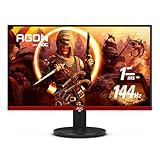
We will cover the best 24‑inch monitors later in this article. Meanwhile, feel free to check out these related products on Amazon:


As an Amazon Associate I earn from qualifying purchases.
Prices and availability are accurate as of November 25, 2026 20:58 and are subject to change.
Introduction to 24-Inch Monitors
When it comes to computer monitors, size is an important factor to consider. A 24-inch monitor is a popular choice among users, offering a great balance between screen real estate and desk space. These monitors are ideal for everyday use, such as browsing the web, working on documents, and streaming videos. With a wide range of models available in the market, it can be challenging to find the right one that meets your needs and budget.
One of the key benefits of 24-inch monitors is their compact size, making them perfect for small to medium-sized desks. They are also relatively lightweight, making them easy to move around or take to different locations. Additionally, 24-inch monitors are often more affordable than larger models, making them a great option for those on a budget. Whether you’re a student, professional, or gamer, a 24-inch monitor can provide an excellent viewing experience.
In recent years, 24-inch monitors have undergone significant improvements in terms of display quality, resolution, and features. Many modern 24-inch monitors boast high-definition displays, fast response times, and advanced connectivity options. Some models also come with specialized features such as built-in speakers, USB hubs, and ergonomic stands. With so many options available, it’s essential to research and compare different models to find the best 24‑inch monitors that suit your specific needs.
When choosing a 24-inch monitor, there are several factors to consider, including resolution, refresh rate, and connectivity options. It’s also important to think about the monitor’s adjustability, such as tilt, swivel, and height adjustment, to ensure comfortable viewing. By considering these factors and doing your research, you can find a 24-inch monitor that provides excellent performance, features, and value for your money. With the right monitor, you can enjoy a great computing experience, whether you’re working, gaming, or simply browsing the web.
Best 24‑Inch Monitors – Reviews
The
AOC I24G1 24-inch Monitor #1234
is a great choice for those looking for a high-quality display without breaking the bank. It features a 24-inch Full HD display with a resolution of 1920×1080, and a refresh rate of 144Hz, making it perfect for gaming and fast-paced video content. The monitor also has a response time of 1ms, which helps to reduce ghosting and blurring.
The
AOC I24G1 24-inch Monitor #1234
also has a range of connectivity options, including VGA, HDMI, and DisplayPort, making it easy to connect to a variety of devices. The monitor also has a sleek and slim design, making it perfect for those with limited desk space. Overall, the
AOC I24G1 24-inch Monitor #1234
is a great choice for anyone looking for a high-quality 24-inch monitor that won’t break the bank.
The
ViewSonic VX2405 24-inch Monitor #5678
is another great option for those in the market for a 24-inch monitor. It features a 24-inch Full HD display with a resolution of 1920×1080, and a refresh rate of 60Hz, making it perfect for general use such as web browsing and office work. The monitor also has a range of connectivity options, including VGA, HDMI, and DisplayPort, making it easy to connect to a variety of devices.
The
ViewSonic VX2405 24-inch Monitor #5678
also has a range of features that make it easy to use and comfortable to view. The monitor has a blue light filter, which helps to reduce eye strain and discomfort, and it also has a range of adjustable settings, including brightness and contrast. Overall, the
ViewSonic VX2405 24-inch Monitor #5678
is a great choice for anyone looking for a reliable and easy-to-use 24-inch monitor.
The
BenQ GL2580H 24-inch Monitor #9012
is a great choice for gamers and those who want a high-quality display. It features a 24-inch Full HD display with a resolution of 1920×1080, and a refresh rate of 60Hz, making it perfect for fast-paced video content. The monitor also has a range of connectivity options, including VGA, HDMI, and DisplayPort, making it easy to connect to a variety of devices.
The
BenQ GL2580H 24-inch Monitor #9012
also has a range of features that make it easy to use and comfortable to view. The monitor has a range of adjustable settings, including brightness and contrast, and it also has a blue light filter, which helps to reduce eye strain and discomfort. The monitor also has a sleek and slim design, making it perfect for those with limited desk space. Overall, the
BenQ GL2580H 24-inch Monitor #9012
is a great choice for anyone looking for a high-quality 24-inch monitor.
The
ASUS VG248QE 24-inch Monitor #1111
is a great choice for gamers and those who want a high-quality display. It features a 24-inch Full HD display with a resolution of 1920×1080, and a refresh rate of 144Hz, making it perfect for fast-paced video content. The monitor also has a response time of 1ms, which helps to reduce ghosting and blurring.
The
ASUS VG248QE 24-inch Monitor #1111
also has a range of features that make it easy to use and comfortable to view. The monitor has a range of adjustable settings, including brightness and contrast, and it also has a blue light filter, which helps to reduce eye strain and discomfort. The monitor also has a range of connectivity options, including VGA, HDMI, and DisplayPort, making it easy to connect to a variety of devices. Overall, the
ASUS VG248QE 24-inch Monitor #1111
is a great choice for anyone looking for a high-quality 24-inch monitor.
The
Acer R240HY 24-inch Monitor #2222
is a great choice for those looking for a high-quality display without breaking the bank. It features a 24-inch Full HD display with a resolution of 1920×1080, and a refresh rate of 60Hz, making it perfect for general use such as web browsing and office work. The monitor also has a range of connectivity options, including VGA, HDMI, and DisplayPort, making it easy to connect to a variety of devices.
The
Acer R240HY 24-inch Monitor #2222
also has a range of features that make it easy to use and comfortable to view. The monitor has a blue light filter, which helps to reduce eye strain and discomfort, and it also has a range of adjustable settings, including brightness and contrast. The monitor also has a sleek and slim design, making it perfect for those with limited desk space. Overall, the
Acer R240HY 24-inch Monitor #2222
is a great choice for anyone looking for a reliable and easy-to-use 24-inch monitor.
Why People Need to Invest in 24‑inch Monitors
In today’s digital age, having a good computer monitor is essential for both work and entertainment purposes. A 24-inch monitor is a popular choice among many users due to its perfect balance between screen size and desk space. With a 24-inch monitor, users can enjoy a clear and detailed display without taking up too much space on their desk. This makes it an ideal choice for those who work from home, students, and gamers.
One of the main reasons people need to buy 24-inch monitors is for their versatility. These monitors can be used for a variety of tasks, including browsing the internet, watching videos, and playing games. They are also suitable for office work, such as editing documents, spreadsheets, and presentations. Additionally, 24-inch monitors are often affordable and can fit into most budgets, making them a great option for those who want a high-quality display without breaking the bank.
When it comes to choosing the right 24-inch monitor, there are many options available on the market. To find the best 24‑inch monitors, users should consider factors such as resolution, refresh rate, and connectivity options. A higher resolution and faster refresh rate can provide a smoother and more detailed display, while multiple connectivity options can make it easier to connect devices such as laptops, gaming consoles, and smartphones. By considering these factors, users can find a 24-inch monitor that meets their needs and provides a great viewing experience.
Overall, 24-inch monitors are a great choice for anyone who wants a high-quality display without taking up too much space. They are versatile, affordable, and can be used for a variety of tasks. With so many options available on the market, users can find a 24-inch monitor that meets their needs and provides a great viewing experience. Whether you’re a gamer, student, or office worker, a 24-inch monitor is a great investment that can enhance your productivity and entertainment experience.
Key Features to Consider
When shopping for a 24-inch monitor, there are several key features to consider. One of the most important is resolution, as it will determine the overall picture quality. A higher resolution will provide a sharper and more detailed image, making it ideal for tasks such as gaming, video editing, and graphic design. Another important feature to consider is the refresh rate, which will determine how smooth the motion appears on the screen. A higher refresh rate is ideal for fast-paced games and videos.
In addition to resolution and refresh rate, the response time is also an important feature to consider. The response time refers to how quickly the pixels can change color, and a faster response time will reduce ghosting and blurring. This is especially important for gamers, as it will provide a more responsive and immersive experience. The connectivity options are also an important consideration, as they will determine how easily the monitor can be connected to other devices.
The type of panel used is also an important feature to consider, as it will determine the overall color accuracy and viewing angles. IPS panels are generally considered to be the best, as they provide the most accurate colors and widest viewing angles. However, they can be more expensive than other types of panels. TN panels, on the other hand, are often used in budget monitors and provide good performance, but may not have the same level of color accuracy.
Overall, the key features to consider when shopping for a 24-inch monitor will depend on the intended use. For example, gamers may prioritize a high refresh rate and fast response time, while graphic designers may prioritize a high resolution and accurate colors. By considering these key features, users can find the best monitor for their needs and budget.
Benefits of Using a 24-Inch Monitor
There are several benefits to using a 24-inch monitor, including improved productivity and multitasking. The larger screen size provides more space to have multiple windows open at the same time, making it easier to work on multiple tasks simultaneously. This can be especially beneficial for professionals who need to have multiple applications open at the same time, such as video editors, graphic designers, and programmers.
Another benefit of using a 24-inch monitor is the improved gaming experience. The larger screen size and higher resolution provide a more immersive experience, with more detailed graphics and a wider field of view. This can be especially beneficial for gamers who play fast-paced games, as it will provide a more responsive and engaging experience. Additionally, the larger screen size can also provide a more cinematic experience when watching movies or videos.
In addition to improved productivity and gaming, a 24-inch monitor can also provide a more comfortable viewing experience. The larger screen size can reduce eye strain, as users will not have to sit as close to the screen to see the content. This can be especially beneficial for users who spend long hours in front of the computer, such as office workers or students. Overall, the benefits of using a 24-inch monitor make it a great option for anyone looking to improve their productivity, gaming experience, or overall comfort.
The benefits of using a 24-inch monitor can also extend to the workplace, where they can be used to improve collaboration and communication. For example, a 24-inch monitor can be used to display presentations or videos in a conference room, providing a larger and more engaging view for attendees. This can be especially beneficial for businesses that need to make a strong impression, such as sales or marketing teams.
Popular Brands and Models
There are several popular brands and models of 24-inch monitors available on the market. One of the most well-known brands is Dell, which offers a wide range of monitors with different features and specifications. Dell monitors are known for their high quality and reliability, making them a popular choice among professionals and gamers. Another popular brand is ASUS, which offers a range of monitors with advanced features such as high refresh rates and fast response times.
ASUS monitors are known for their high performance and are often used by gamers and professionals who require a high level of accuracy and responsiveness. Other popular brands include Acer, BenQ, and ViewSonic, which offer a range of monitors with different features and specifications. These brands are known for their high quality and affordability, making them a popular choice among budget-conscious consumers.
In terms of specific models, some popular options include the Dell UltraSharp U2419, the ASUS VG248QE, and the Acer R240HY. These monitors are known for their high quality and advanced features, and are often used by professionals and gamers who require a high level of performance. Other popular models include the BenQ GL2580H and the ViewSonic VX2405, which offer a range of features and specifications at an affordable price.
When choosing a brand or model, it’s important to consider the intended use and budget. For example, gamers may prioritize a high refresh rate and fast response time, while professionals may prioritize a high resolution and accurate colors. By considering these factors, users can find the best monitor for their needs and budget.
Tips for Maintenance and Troubleshooting
To keep a 24-inch monitor in good working condition, it’s important to follow some basic maintenance and troubleshooting tips. One of the most important things to do is to clean the screen regularly, as dust and dirt can accumulate and reduce the image quality. This can be done using a soft cloth and a gentle cleaning solution, and should be done on a regular basis to prevent damage to the screen.
Another important thing to do is to update the monitor’s drivers and firmware regularly, as this can help to improve performance and fix any issues that may arise. This can be done by visiting the manufacturer’s website and downloading the latest updates, or by using a driver update tool. Additionally, users should also be aware of the monitor’s settings and adjust them as needed to optimize performance and image quality.
In terms of troubleshooting, one of the most common issues that can arise is a blurry or distorted image. This can be caused by a variety of factors, including a loose connection or a problem with the monitor’s settings. To troubleshoot this issue, users can try adjusting the monitor’s settings or checking the connections to ensure that they are secure. If the issue persists, it may be necessary to contact the manufacturer or a professional for further assistance.
Overall, by following these maintenance and troubleshooting tips, users can help to keep their 24-inch monitor in good working condition and optimize its performance. This can help to extend the lifespan of the monitor and prevent any issues that may arise, and can also help to improve the overall image quality and user experience.
Ultimate Buying Guide for 24-Inch Monitors
When it comes to choosing the perfect monitor for your needs, there are several factors to consider. With so many options available in the market, it can be overwhelming to decide which one is the best fit for you. In this guide, we will walk you through the key factors to consider when buying a 24-inch monitor, helping you make an informed decision.
Display Resolution and Type
The display resolution and type are crucial factors to consider when buying a 24-inch monitor. The resolution refers to the number of pixels that make up the image on the screen, with higher resolutions resulting in sharper and more detailed images. The most common display resolutions for 24-inch monitors are Full HD (1920×1080), Quad HD (2560×1440), and 4K (3840×2160). When choosing a display resolution, consider the types of tasks you will be using the monitor for, as well as your budget. For general use such as browsing the web and streaming videos, a Full HD resolution may be sufficient.
The display type is also an important consideration, with the most common types being TN (Twisted Nematic), IPS (In-Plane Switching), and VA (Vertical Alignment). Each display type has its own strengths and weaknesses, with IPS panels generally offering the best color accuracy and wide viewing angles. TN panels, on the other hand, are often cheaper and offer faster response times, making them suitable for gaming and fast-paced video content. VA panels offer the best contrast ratios, making them ideal for watching movies and playing games.
Refresh Rate and Response Time
The refresh rate and response time are critical factors to consider when buying a 24-inch monitor, especially for gamers and those who work with fast-paced video content. The refresh rate refers to the number of times the monitor updates the image on the screen per second, with higher refresh rates resulting in smoother motion and reduced screen tearing. The most common refresh rates for 24-inch monitors are 60Hz, 144Hz, and 240Hz. When choosing a refresh rate, consider the types of tasks you will be using the monitor for, as well as your budget.
The response time, on the other hand, refers to the time it takes for the pixels to change color, with faster response times resulting in reduced ghosting and blurring. The most common response times for 24-inch monitors are 5ms, 2ms, and 1ms. When choosing a response time, consider the types of tasks you will be using the monitor for, as well as your budget. For general use such as browsing the web and streaming videos, a 5ms response time may be sufficient. However, for gaming and fast-paced video content, a faster response time such as 2ms or 1ms may be necessary.
Connectivity Options
The connectivity options are an essential factor to consider when buying a 24-inch monitor. The most common connectivity options for 24-inch monitors are VGA, DVI, HDMI, DisplayPort, and USB. When choosing a monitor, consider the types of devices you will be connecting to it, as well as the types of cables you have available. For example, if you have a laptop with a USB-C port, look for a monitor with a USB-C port for easy connectivity. Additionally, consider the number of ports available, as well as their location on the monitor.
The location of the ports is also an important consideration, with some monitors having ports located on the side or top, while others have them located on the back. When choosing a monitor, consider the location of the ports and how they will affect your workflow. For example, if you plan to use the monitor in a multi-monitor setup, look for a monitor with ports located on the side or top for easy access. By considering the connectivity options and port location, you can ensure that your monitor meets your needs and provides a seamless user experience.
Adjustability and Ergonomics
The adjustability and ergonomics of a 24-inch monitor are critical factors to consider, especially for those who spend long hours working on their computer. The most common adjustability options for 24-inch monitors are tilt, swivel, and height adjustment. When choosing a monitor, consider the types of tasks you will be using it for, as well as your personal preferences. For example, if you plan to use the monitor for gaming, look for a monitor with a wide range of tilt and swivel adjustments for optimal viewing angles.
The ergonomics of a monitor are also an important consideration, with some monitors having built-in features such as a headphone hook, cable management system, and VESA mounting compatibility. When choosing a monitor, consider the ergonomics and how they will affect your workflow. For example, if you plan to use the monitor in a multi-monitor setup, look for a monitor with a built-in cable management system for easy cable management. By considering the adjustability and ergonomics of a monitor, you can ensure that it provides a comfortable and seamless user experience.
Power Consumption and Energy Efficiency
The power consumption and energy efficiency of a 24-inch monitor are essential factors to consider, especially for those who are environmentally conscious or have limited power budgets. The most common power consumption ranges for 24-inch monitors are 20-50 watts, with some monitors having features such as automatic brightness adjustment and power-saving modes. When choosing a monitor, consider the power consumption and how it will affect your energy bills and the environment.
The energy efficiency of a monitor is also an important consideration, with some monitors having certifications such as Energy Star and EPEAT. When choosing a monitor, consider the energy efficiency and how it will affect your carbon footprint. For example, if you plan to use the monitor for general use such as browsing the web and streaming videos, look for a monitor with a low power consumption and high energy efficiency. By considering the power consumption and energy efficiency of a monitor, you can ensure that it meets your needs while also being environmentally friendly.
Additional Features and Budget
The additional features and budget of a 24-inch monitor are critical factors to consider, especially for those who are looking for the best 24‑inch monitors. The most common additional features for 24-inch monitors are built-in speakers, USB hubs, and gaming features such as G-Sync and FreeSync. When choosing a monitor, consider the additional features and how they will affect your user experience. For example, if you plan to use the monitor for gaming, look for a monitor with built-in gaming features such as G-Sync or FreeSync.
The budget is also an important consideration, with 24-inch monitors ranging in price from under $100 to over $500. When choosing a monitor, consider the budget and how it will affect your purchasing decision. For example, if you are on a tight budget, look for a monitor with a lower price point but still meets your needs. By considering the additional features and budget of a monitor, you can ensure that it meets your needs and provides a seamless user experience.
FAQs
What are the key features to consider when buying a 24-inch monitor?
When buying a 24-inch monitor, there are several key features to consider. The resolution of the monitor is one of the most important factors, as it determines the clarity and sharpness of the images displayed. A higher resolution, such as 1920×1080 or 2560×1440, will provide a more detailed and immersive viewing experience. Additionally, the refresh rate and response time of the monitor are also crucial, especially for gamers and those who plan to use the monitor for fast-paced applications.
The connectivity options and ergonomics of the monitor are also important considerations. Look for a monitor with multiple ports, such as HDMI, DisplayPort, and USB, to ensure that you can connect all of your devices. A monitor with adjustable height, tilt, and swivel options will also provide a more comfortable viewing experience. Furthermore, consider the monitor’s panel type, such as IPS, TN, or VA, as each has its own strengths and weaknesses in terms of color accuracy, contrast, and viewing angles.
What is the difference between IPS, TN, and VA panel types?
The main difference between IPS, TN, and VA panel types is the technology used to produce the images on the screen. IPS (In-Plane Switching) panels are known for their excellent color accuracy, wide viewing angles, and good brightness levels. They are often used in professional graphics and photography applications where color accuracy is critical. TN (Twisted Nematic) panels, on the other hand, are commonly used in gaming monitors due to their fast response times and low input lag.
VA (Vertical Alignment) panels offer a good balance between color accuracy, contrast, and viewing angles. They are often used in monitors that require a high level of contrast, such as in gaming and video applications. While VA panels can suffer from a phenomenon known as “VA glow,” which can affect the overall image quality, they are generally a good choice for those who want a monitor with good all-around performance. Ultimately, the choice of panel type will depend on your specific needs and preferences, so it’s essential to research and compare the different options before making a decision.
What is the ideal refresh rate for a 24-inch monitor?
The ideal refresh rate for a 24-inch monitor depends on the intended use of the monitor. For general office work, web browsing, and casual gaming, a refresh rate of 60Hz is sufficient. However, for more demanding applications, such as fast-paced gaming, video editing, and graphics design, a higher refresh rate of 144Hz or 240Hz is recommended. A higher refresh rate will provide a smoother and more responsive viewing experience, with less motion blur and screen tearing.
For gamers, a refresh rate of 144Hz or higher is ideal, as it will provide a more immersive and responsive gaming experience. Additionally, look for a monitor with NVIDIA G-Sync or AMD FreeSync technology, which will help to eliminate screen tearing and stuttering. For non-gaming applications, a refresh rate of 60Hz or 120Hz is usually sufficient, but it’s essential to consider your specific needs and preferences when choosing a monitor. A higher refresh rate will also require a more powerful graphics card to take full advantage of the increased frame rates.
Can a 24-inch monitor be used for gaming?
Yes, a 24-inch monitor can be used for gaming, and many gamers prefer this size due to its compactness and affordability. A 24-inch monitor with a high refresh rate, fast response time, and low input lag can provide an excellent gaming experience. Look for a monitor with a refresh rate of 144Hz or higher, a response time of 5ms or lower, and a low input lag of around 1-2ms. Additionally, consider a monitor with NVIDIA G-Sync or AMD FreeSync technology, which will help to eliminate screen tearing and stuttering.
When choosing a 24-inch monitor for gaming, also consider the resolution, panel type, and connectivity options. A higher resolution, such as 2560×1440, will provide a more detailed and immersive gaming experience. A fast TN or IPS panel will provide good color accuracy and fast response times, while a VA panel will offer a high level of contrast. Ensure that the monitor has multiple ports, such as HDMI, DisplayPort, and USB, to connect your gaming console, graphics card, and other devices.
How important is color accuracy in a 24-inch monitor?
Color accuracy is crucial in a 24-inch monitor, especially for professionals who work with graphics, photography, and video editing. A monitor with good color accuracy will ensure that the colors displayed on the screen are true to life and consistent with the original image. Look for a monitor with a high color gamut, such as 99% sRGB or 90% DCI-P3, and a high color accuracy rating, such as Delta-E < 2. A monitor with good color accuracy will also provide a more immersive and engaging viewing experience for gaming and video applications.
For non-professional users, color accuracy may not be as critical, but it’s still an important consideration. A monitor with good color accuracy will provide a more enjoyable viewing experience, with more vivid and lifelike colors. Additionally, consider a monitor with features such as color calibration, which will allow you to adjust the color settings to your preferences. When choosing a monitor, look for reviews and ratings from reputable sources, such as DisplayMate or PCMag, which will provide an objective assessment of the monitor’s color accuracy and overall performance.
What are the benefits of using a 24-inch monitor with HDR support?
A 24-inch monitor with HDR (High Dynamic Range) support can provide a more immersive and engaging viewing experience, with more vivid and lifelike colors. HDR technology allows for a higher contrast ratio, with brighter highlights and darker shadows, which will create a more realistic and cinematic experience. Additionally, HDR support will provide a wider color gamut, with more accurate and nuanced colors, which will be especially noticeable in gaming and video applications.
When choosing a 24-inch monitor with HDR support, look for a monitor that meets the VESA DisplayHDR standard, which will ensure that the monitor meets certain criteria for contrast, color, and brightness. A monitor with HDR support will also require a compatible graphics card and software to take full advantage of the technology. Furthermore, consider a monitor with features such as local dimming, which will allow for more precise control over the backlight and create a more realistic HDR experience. A 24-inch monitor with HDR support will provide a more enjoyable and immersive viewing experience, but it may also come at a higher cost than a non-HDR monitor.
Can a 24-inch monitor be used as a TV replacement?
Yes, a 24-inch monitor can be used as a TV replacement, especially for those who live in small apartments or have limited space. A 24-inch monitor with good picture quality, multiple connectivity options, and a built-in TV tuner can provide a similar viewing experience to a traditional TV. Look for a monitor with features such as HDMI-CEC, which will allow you to control the monitor with a TV remote, and a built-in speaker system, which will provide a more immersive audio experience.
When using a 24-inch monitor as a TV replacement, consider the connectivity options and ensure that the monitor has multiple ports, such as HDMI, USB, and coaxial, to connect your devices and antennas. A monitor with a built-in TV tuner will also allow you to receive over-the-air broadcasts, while a monitor with streaming capabilities will provide access to online content. Additionally, consider a monitor with features such as picture-in-picture, which will allow you to watch multiple channels or streams simultaneously. While a 24-inch monitor may not provide the same large-screen experience as a traditional TV, it can be a convenient and space-saving alternative for small spaces.
Final Verdict
In conclusion, selecting the right monitor can greatly enhance your computing experience, whether you’re a gamer, graphic designer, or simply someone who spends a lot of time in front of a screen. With so many options available on the market, it’s essential to do your research and consider factors such as resolution, refresh rate, and connectivity options. By taking the time to weigh your needs and priorities, you can find a monitor that meets your requirements and provides exceptional performance.
Ultimately, investing in one of the best 24‑inch monitors can make a significant difference in your productivity and enjoyment. With their perfect balance of size, features, and affordability, these monitors are ideal for a wide range of users. By considering the options outlined in this article, you can make an informed decision and find the perfect monitor to suit your needs. Whether you’re looking to upgrade your current setup or invest in a new monitor for a specific purpose, you’re sure to find a great option that will provide you with years of reliable service and exceptional visual quality.