In today’s fast-paced digital world, printing documents and files remains an essential task for both personal and professional purposes. With the advancement of technology, printing has become more efficient and convenient, thanks to the development of network printing solutions. At the heart of these solutions lies a crucial component: the print server. This device enables multiple users to share a single printer, streamlining the printing process and increasing productivity. Whether you’re setting up a home office or managing a large enterprise, finding the right print server is vital to ensure seamless printing operations.
When it comes to selecting the ideal print server for your needs, the options can be overwhelming. With numerous models available in the market, each offering distinct features and capabilities, making an informed decision can be challenging. To help you navigate this complex landscape, we’ve compiled a comprehensive guide to the best print servers, highlighting their key characteristics, advantages, and disadvantages. Our goal is to provide you with the knowledge and insights necessary to make an informed purchase decision, ensuring that you find the perfect print server to meet your specific requirements and enhance your printing experience. By considering factors such as compatibility, security, and scalability, you’ll be well on your way to finding the perfect solution for your printing needs.
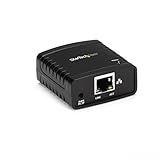
We will cover the best print servers later in this article. Meanwhile, feel free to check out these related products on Amazon:


As an Amazon Associate I earn from qualifying purchases.
Prices and availability are accurate as of November 25, 2026 10:54 and are subject to change.
Introduction to Print Servers
A print server is a device or program that manages and controls access to one or more printers on a network. It acts as an intermediary between the printer and the devices that send print jobs, allowing multiple devices to share the same printer. This can be especially useful in office environments where multiple employees need to print documents regularly.
Print servers can be dedicated hardware devices or software programs that run on a computer or other network device. They can provide a range of features, including print job management, printer configuration, and security controls. By using a print server, administrators can simplify the process of managing printers on a network and reduce the complexity of printer configuration and maintenance.
One of the key benefits of using a print server is that it allows administrators to centralize control over printing resources. This can make it easier to manage print jobs, monitor printer usage, and perform maintenance tasks such as updating printer drivers. Additionally, print servers can provide features such as print job queue management, which allows administrators to prioritize print jobs and manage the order in which they are printed.
When selecting the best print servers for a particular network, there are several factors to consider. These include the number of printers that need to be supported, the number of devices that will be sending print jobs, and the level of security and management features required. By choosing the right print server, administrators can create a efficient and reliable printing environment that meets the needs of their users, and finding the best print servers can make a significant difference in the overall productivity of the organization.
Top 5 Best Print Servers
HP Jetdirect 635n Print Server #J8023A
The HP Jetdirect 635n Print Server #J8023A is a reliable and efficient print server that allows multiple users to share a single printer over a network. It supports a wide range of printers and is compatible with various operating systems, including Windows, Mac, and Linux. The print server is easy to install and configure, and it comes with a user-friendly interface that makes it simple to manage and monitor print jobs.
The HP Jetdirect 635n Print Server #J8023A also features advanced security options, including encryption and access controls, to protect sensitive data and prevent unauthorized access to the printer. Additionally, it supports multiple protocols, including TCP/IP, IPX/SPX, and AppleTalk, making it a versatile solution for different network environments. With its high-performance capabilities and robust security features, the HP Jetdirect 635n Print Server #J8023A is an excellent choice for businesses and organizations that need to share printers across a network.
D-Link DPR-1020 Print Server #DPR1020
The D-Link DPR-1020 Print Server #DPR1020 is a cost-effective and compact print server that allows users to share a single printer over a network. It is easy to install and configure, and it supports a wide range of printers, including USB and parallel models. The print server also features a built-in web interface that makes it simple to manage and monitor print jobs, as well as configure network settings and security options.
The D-Link DPR-1020 Print Server #DPR1020 also supports multiple protocols, including TCP/IP, DHCP, and DNS, making it a versatile solution for different network environments. Additionally, it features advanced security options, including password protection and encryption, to protect sensitive data and prevent unauthorized access to the printer. With its compact design and affordable price, the D-Link DPR-1020 Print Server #DPR1020 is an excellent choice for small businesses and home offices that need to share a printer across a network.
Linksys WPSM54G Print Server #WPSM54G
The Linksys WPSM54G Print Server #WPSM54G is a wireless print server that allows users to share a single printer over a network without the need for cables. It supports a wide range of printers and is compatible with various operating systems, including Windows, Mac, and Linux. The print server is easy to install and configure, and it comes with a user-friendly interface that makes it simple to manage and monitor print jobs.
The Linksys WPSM54G Print Server #WPSM54G also features advanced security options, including WPA2 encryption and access controls, to protect sensitive data and prevent unauthorized access to the printer. Additionally, it supports multiple protocols, including TCP/IP, IPX/SPX, and AppleTalk, making it a versatile solution for different network environments. With its wireless capabilities and high-performance features, the Linksys WPSM54G Print Server #WPSM54G is an excellent choice for businesses and organizations that need to share printers across a network without the hassle of cables.
IOGear GPSU21 Print Server #GPSU21
The IOGear GPSU21 Print Server #GPSU21 is a compact and affordable print server that allows users to share a single printer over a network. It is easy to install and configure, and it supports a wide range of printers, including USB and parallel models. The print server also features a built-in web interface that makes it simple to manage and monitor print jobs, as well as configure network settings and security options.
The IOGear GPSU21 Print Server #GPSU21 also supports multiple protocols, including TCP/IP, DHCP, and DNS, making it a versatile solution for different network environments. Additionally, it features advanced security options, including password protection and encryption, to protect sensitive data and prevent unauthorized access to the printer. With its compact design and affordable price, the IOGear GPSU21 Print Server #GPSU21 is an excellent choice for small businesses and home offices that need to share a printer across a network.
Netgear PS121 Print Server #PS121
The Netgear PS121 Print Server #PS121 is a reliable and efficient print server that allows multiple users to share a single printer over a network. It supports a wide range of printers and is compatible with various operating systems, including Windows, Mac, and Linux. The print server is easy to install and configure, and it comes with a user-friendly interface that makes it simple to manage and monitor print jobs.
The Netgear PS121 Print Server #PS121 also features advanced security options, including encryption and access controls, to protect sensitive data and prevent unauthorized access to the printer. Additionally, it supports multiple protocols, including TCP/IP, IPX/SPX, and AppleTalk, making it a versatile solution for different network environments. With its high-performance capabilities and robust security features, the Netgear PS121 Print Server #PS121 is an excellent choice for businesses and organizations that need to share printers across a network.
Why People Need to Buy Print Servers
In today’s digital age, printing remains an essential function in both personal and professional settings. Many devices, such as computers, smartphones, and tablets, are capable of producing printed output, but they often require a medium to communicate with the printer. This is where print servers come into play, acting as an intermediary between devices and printers, facilitating the printing process. By purchasing a print server, individuals and organizations can streamline their printing operations, making it easier to manage and maintain their printing infrastructure.
Print servers offer numerous benefits, including enhanced connectivity, scalability, and security. They enable multiple devices to share the same printer, reducing the need for separate printers for each device. This not only saves space but also minimizes costs associated with purchasing and maintaining multiple printers. Additionally, print servers can be configured to prioritize print jobs, ensuring that critical documents are printed promptly, while less urgent jobs are queued accordingly.
When selecting a print server, it is crucial to consider factors such as compatibility, speed, and capacity. The best print servers are designed to handle high volumes of print jobs, providing fast and reliable printing services. They should also be compatible with a wide range of devices and operating systems, ensuring seamless integration with existing infrastructure. Furthermore, print servers should offer robust security features, such as encryption and access controls, to protect sensitive documents and prevent unauthorized access.
In conclusion, print servers play a vital role in modern printing environments, providing a centralized platform for managing print jobs and facilitating communication between devices and printers. By investing in a print server, individuals and organizations can improve the efficiency and productivity of their printing operations, while also enhancing security and reducing costs. Whether you are setting up a home office or a large enterprise, a print server is an essential component of your printing infrastructure, enabling you to print documents quickly, securely, and reliably.
Types of Print Servers
Print servers can be categorized based on their functionality, connectivity options, and compatibility with different devices. There are mainly two types of print servers: wired and wireless. Wired print servers are connected to the network using Ethernet cables, while wireless print servers use Wi-Fi or Bluetooth to connect to the network. Each type has its own advantages and disadvantages, and the choice between them depends on the specific needs of the user.
Wired print servers are generally more reliable and faster than wireless print servers. They are also more secure, as they are less vulnerable to hacking and interference. However, they can be less convenient, as they require a physical connection to the network. On the other hand, wireless print servers offer more flexibility and convenience, as they can be placed anywhere in the network and do not require a physical connection.
In addition to wired and wireless print servers, there are also other types of print servers, such as USB print servers and parallel print servers. USB print servers are used to connect USB printers to the network, while parallel print servers are used to connect parallel printers to the network. These types of print servers are less common, but they can still be useful in certain situations.
The choice of print server type depends on the specific needs of the user. For example, a wired print server may be the best choice for a large office with many devices, while a wireless print server may be the best choice for a small home office with only a few devices. It is also important to consider the compatibility of the print server with different devices and operating systems.
Benefits of Using Print Servers
Print servers offer several benefits, including increased productivity, reduced costs, and improved security. By allowing multiple devices to share a single printer, print servers can increase productivity and reduce the need for multiple printers. This can also reduce costs, as fewer printers need to be purchased and maintained.
Print servers can also improve security by allowing administrators to control access to the printer and monitor print jobs. This can help to prevent unauthorized printing and reduce the risk of sensitive information being printed and left unattended. Additionally, print servers can provide detailed logs of print jobs, which can help to track usage and identify areas for improvement.
Another benefit of using print servers is that they can simplify the printing process. By providing a central location for printing, print servers can eliminate the need for devices to be physically connected to the printer. This can make it easier for users to print documents, as they do not need to worry about finding a available printer or dealing with complicated printing settings.
Print servers can also provide advanced features, such as print job management and printer monitoring. These features can help to improve the overall printing experience and provide a more efficient and productive printing environment. For example, print job management can help to prioritize print jobs and ensure that critical documents are printed first.
Print Server Configuration and Setup
Configuring and setting up a print server can be a complex process, but it is essential to ensure that the print server is working correctly. The first step in configuring a print server is to connect it to the network and install any necessary software or drivers. This can typically be done using a web-based interface or a dedicated configuration utility.
Once the print server is connected to the network, the next step is to configure the printing settings. This can include setting the print server’s IP address, configuring the printer settings, and specifying the print queue. The print server’s IP address is used to identify the print server on the network, and it must be unique to avoid conflicts with other devices.
The printer settings will depend on the specific printer being used, but they can include settings such as the paper size, print quality, and duplex printing. The print queue is used to manage print jobs and ensure that they are printed in the correct order. The print queue can be configured to prioritize certain print jobs or to hold print jobs until they are released by an administrator.
In addition to configuring the printing settings, it is also important to configure the security settings. This can include setting up user authentication, configuring access controls, and enabling encryption. User authentication is used to verify the identity of users and ensure that only authorized users can print documents. Access controls can be used to restrict access to certain printers or print queues, and encryption can be used to protect sensitive information.
Print Server Maintenance and Troubleshooting
Maintaining and troubleshooting a print server is essential to ensure that it continues to work correctly and efficiently. Regular maintenance can help to prevent problems and reduce downtime, while troubleshooting can help to resolve issues quickly and minimize their impact.
One of the most important maintenance tasks is to regularly update the print server’s software and firmware. This can help to ensure that the print server has the latest features and security patches, and it can also help to resolve any issues that may be caused by outdated software or firmware.
Another important maintenance task is to monitor the print server’s performance and usage. This can help to identify any issues or bottlenecks, and it can also help to optimize the print server’s configuration and settings. The print server’s performance and usage can be monitored using a variety of tools and utilities, including web-based interfaces and dedicated monitoring software.
In addition to regular maintenance, it is also important to have a troubleshooting plan in place. This can help to quickly resolve any issues that may arise, and it can also help to minimize their impact. A troubleshooting plan can include steps such as checking the print server’s configuration and settings, verifying the network connection, and checking for any error messages or logs. By having a troubleshooting plan in place, administrators can quickly and easily resolve any issues that may arise, and they can help to ensure that the print server continues to work correctly and efficiently.
Comprehensive Buying Guide for Print Servers
When it comes to managing printing tasks in an office or home environment, a reliable print server is essential. With so many options available in the market, choosing the right one can be a daunting task. This buying guide aims to provide you with the necessary information to make an informed decision when selecting a print server that meets your specific needs.
Network Compatibility
Network compatibility is a crucial factor to consider when buying a print server. You need to ensure that the print server is compatible with your existing network infrastructure, including the type of network protocol used, such as TCP/IP or NetBEUI. A print server that supports multiple network protocols will provide greater flexibility and ease of integration. Additionally, consider the network speed and bandwidth required to support your printing needs, as a faster network speed will result in faster print jobs.
The network compatibility of a print server also depends on the type of devices connected to it. For example, if you have a mix of Windows and Mac devices, you’ll need a print server that supports both operating systems. Some print servers may also support mobile devices, such as smartphones and tablets, which can be useful for printing documents on-the-go. When evaluating network compatibility, check the specifications of the print server to ensure it meets your specific needs and is compatible with your devices.
Print Server Type
The type of print server you choose will depend on your specific printing needs and environment. There are two main types of print servers: internal and external. Internal print servers are built into the printer itself, while external print servers are separate devices that connect to the printer and network. External print servers offer greater flexibility and can support multiple printers, making them a popular choice for large offices or enterprises. On the other hand, internal print servers are more suitable for small offices or home environments where a single printer is used.
When choosing a print server type, consider the scalability and future-proofing of your printing needs. If you anticipate adding more printers or devices to your network, an external print server may be a better option. Additionally, consider the ease of installation and setup, as some print servers may require technical expertise to configure. Look for print servers with user-friendly interfaces and simple setup processes to minimize downtime and ensure seamless integration with your existing network.
Security Features
Security is a critical factor to consider when buying a print server, as it will be connected to your network and handling sensitive documents. Look for print servers with robust security features, such as encryption, access controls, and authentication protocols. Encryption ensures that print jobs are transmitted securely over the network, while access controls restrict unauthorized access to the print server and printers. Authentication protocols, such as username and password authentication, add an extra layer of security to prevent unauthorized printing.
When evaluating security features, check for compliance with industry standards, such as SSL/TLS encryption and SNMPv3 protocol. Some print servers may also offer additional security features, such as secure printing, which allows users to print sensitive documents with an added layer of security. Consider the level of security required for your printing needs and choose a print server that meets or exceeds those requirements. By prioritizing security, you can protect your network and sensitive documents from unauthorized access and potential security breaches.
Printer Support
The type and number of printers supported by the print server is another key factor to consider. If you have multiple printers from different manufacturers, you’ll need a print server that supports all of them. Check the specifications of the print server to ensure it supports your specific printer models and brands. Some print servers may also support multiple printer protocols, such as PCL, PostScript, and HP-GL/2, which can be useful for printing documents from different applications.
When evaluating printer support, consider the compatibility of the print server with your existing printers and the ease of adding new printers to the network. Look for print servers with automatic printer detection and configuration, which can simplify the setup process and minimize downtime. Additionally, check for any limitations on the number of printers that can be connected to the print server, as well as any restrictions on printer types, such as laser or inkjet. By choosing a print server that supports all your printers, you can ensure seamless integration and efficient printing operations.
Management and Monitoring
The management and monitoring capabilities of a print server are essential for maintaining efficient printing operations. Look for print servers with user-friendly interfaces and tools for monitoring print jobs, printer status, and network activity. Some print servers may also offer features like print job scheduling, prioritization, and cancellation, which can help manage printing workflows and reduce downtime. Additionally, consider the level of customization and configuration options available, such as setting up print queues, configuring printer settings, and defining user access controls.
When evaluating management and monitoring capabilities, check for compatibility with existing network management tools and protocols, such as SNMP and HTTP. Some print servers may also offer mobile apps or cloud-based services for remote monitoring and management, which can be useful for IT administrators and help desk personnel. Consider the level of technical expertise required to manage and monitor the print server, as well as the availability of technical support and resources from the manufacturer. By choosing a print server with robust management and monitoring capabilities, you can ensure efficient printing operations and minimize downtime.
Scalability and Reliability
The scalability and reliability of a print server are critical factors to consider, especially in large offices or enterprises with high printing demands. Look for print servers with high-performance processors, ample memory, and robust storage capabilities to ensure fast print job processing and reliable operation. Additionally, consider the level of redundancy and failover capabilities, such as dual power supplies, fans, and network connections, which can ensure continuous operation in the event of hardware failure. When evaluating scalability and reliability, check for compliance with industry standards, such as ISO 9126 and IEEE 802.3, which can ensure a high level of performance and reliability.
When choosing the best print servers for your needs, consider the level of technical support and resources available from the manufacturer, as well as the availability of firmware updates and maintenance releases. A reliable print server should be able to handle high volumes of print jobs without compromising performance or reliability. Look for print servers with high mean time between failures (MTBF) ratings and long warranties, which can provide peace of mind and protect your investment. By prioritizing scalability and reliability, you can ensure efficient printing operations and minimize downtime, resulting in increased productivity and reduced costs.
FAQ
What is a print server and how does it work?
A print server is a device or software that connects printers to a network, allowing multiple devices to share the same printer. It acts as an intermediary between the printer and the devices on the network, managing print jobs and ensuring that they are printed correctly. Print servers can be dedicated hardware devices or software programs that run on a computer or other network device.
In a typical setup, a print server is connected to a printer and a network, such as a local area network (LAN) or wide area network (WAN). When a device on the network sends a print job to the print server, the server receives the job and forwards it to the printer. The print server can also manage multiple print jobs, prioritize them, and handle errors, making it a convenient and efficient way to share printers across a network.
What are the benefits of using a print server?
Using a print server offers several benefits, including increased convenience, improved efficiency, and reduced costs. With a print server, multiple devices can share the same printer, eliminating the need for separate printers for each device. This can be especially useful in office environments where multiple employees need to print documents. Print servers also make it easy to manage print jobs, prioritize them, and handle errors, reducing the risk of print jobs being lost or corrupted.
In addition to these benefits, print servers can also help to reduce costs by reducing the need for multiple printers and minimizing waste. By managing print jobs and ensuring that they are printed correctly, print servers can help to reduce the amount of paper and ink wasted due to errors or misprints. Overall, using a print server can help to streamline printing operations, improve productivity, and reduce costs, making it a valuable investment for any organization that relies heavily on printing.
What types of print servers are available?
There are several types of print servers available, including hardware-based print servers, software-based print servers, and cloud-based print servers. Hardware-based print servers are dedicated devices that connect to a printer and a network, managing print jobs and ensuring that they are printed correctly. Software-based print servers, on the other hand, are programs that run on a computer or other network device, managing print jobs and forwarding them to a printer.
Cloud-based print servers are a newer type of print server that uses cloud computing technology to manage print jobs. These servers allow users to print documents from anywhere, using any device with an internet connection. Cloud-based print servers are ideal for organizations with remote employees or multiple locations, as they provide a convenient and secure way to manage print jobs and share printers across a network. Regardless of the type, all print servers provide a convenient and efficient way to share printers and manage print jobs.
How do I choose the best print server for my needs?
Choosing the best print server for your needs depends on several factors, including the number of devices that will be sharing the printer, the type of printer being used, and the level of security required. You should also consider the compatibility of the print server with your network and devices, as well as the ease of use and management. Additionally, you should consider the scalability of the print server, in case you need to add more devices or printers in the future.
When selecting a print server, you should also consider the features that are important to you, such as support for multiple protocols, encryption, and access controls. You should also read reviews and compare prices to find the best print server for your budget. By considering these factors and doing your research, you can find a print server that meets your needs and provides a convenient and efficient way to share printers and manage print jobs.
What are the key features to look for in a print server?
When looking for a print server, there are several key features to consider, including support for multiple protocols, such as TCP/IP, HTTP, and FTP. You should also look for a print server that supports encryption, such as SSL or TLS, to ensure that print jobs are secure. Additionally, you should consider a print server that has access controls, such as user authentication and authorization, to ensure that only authorized users can print documents.
Other key features to look for in a print server include support for multiple printers, prioritization of print jobs, and error handling. You should also consider a print server that has a user-friendly interface, making it easy to manage print jobs and configure settings. By considering these features, you can find a print server that meets your needs and provides a convenient and efficient way to share printers and manage print jobs.
Can I use a print server with a wireless printer?
Yes, you can use a print server with a wireless printer. In fact, many print servers are designed to work with wireless printers, providing a convenient and efficient way to share the printer with multiple devices. When using a print server with a wireless printer, you should ensure that the print server supports the wireless protocol used by the printer, such as Wi-Fi or Bluetooth.
To use a print server with a wireless printer, you will typically need to connect the print server to the printer using a wireless connection, and then configure the print server to manage print jobs and forward them to the printer. This can usually be done using a web-based interface or a mobile app, making it easy to manage print jobs and configure settings. By using a print server with a wireless printer, you can provide a convenient and efficient way to share the printer with multiple devices, without the need for cables or wires.
How do I troubleshoot common issues with my print server?
Troubleshooting common issues with your print server can be done by checking the print server’s logs and error messages, as well as the printer’s status and configuration. You should also ensure that the print server is properly configured and connected to the network and printer. If you are experiencing issues with print jobs not printing, you should check the print queue and ensure that the print jobs are being sent to the correct printer.
If you are experiencing issues with the print server not responding or not connecting to the network, you should check the network settings and ensure that the print server is properly configured. You should also restart the print server and printer, and check for any firmware or software updates. By following these troubleshooting steps, you can quickly and easily resolve common issues with your print server and ensure that it is working properly.
Final Words
In today’s fast-paced business environment, having a reliable and efficient printing system is crucial for productivity and success. A well-chosen print server can make all the difference in streamlining printing operations, reducing downtime, and increasing overall workflow efficiency. By investing in a high-quality print server, businesses can ensure seamless communication between printers and computers, resulting in faster printing speeds and improved print quality. This, in turn, can lead to increased employee satisfaction, reduced printing costs, and a competitive edge in the market.
When selecting the best print servers for your organization, it is essential to consider factors such as scalability, security, and compatibility. By doing so, you can ensure that your printing infrastructure is future-proof and capable of meeting the evolving needs of your business. With the right print server in place, you can enjoy enhanced printing capabilities, reduced maintenance requirements, and improved overall performance. Whether you are a small business or a large enterprise, investing in the best print servers can have a significant impact on your bottom line, making it an essential consideration for any organization looking to optimize its printing operations.